
7 Techniques to Optimize .NET Application Performance
Quick Summary:This blog will explore top 7 techniques that can help you effectively optimize .NET applications. It includes everything from optimizing code to using asynchronous programming and implementation of caching strategies. It also covers topics such as database optimization,.web API enhancements and usage of CDNs. You will explore how .NET optimization can lead to better speed, scalability and user experiences. Applying these strategies can provide results in terms of consistency during high traffic and reliable performance delivery.
Introduction
Applications are a requirement for each business owner and many of them have it already. Since most of these apps rely on .NET development services, they may require upkeep. Are you also trying to improve your.NET application’s performance? If so, you’ve arrived at the correct location. With the aid of this guide, you may improve your application and provide consumers with exponentially better outcomes.
Hiring dedicated .NET development companies like Bigscal can provide you a competitive edge over the other applications. Excellent application performance, dependability, scalability, and user happiness may all be guaranteed with.NET optimization. Explore this guide to get top 7 strategies and best practices to boost up the performance of your .NET application.
Getting to know .NET application development
NET application development aims at developing high-performance, scalable, and secure applications with the help of the.NET framework. It is flexible to meet various development needs as it supports multiple programming languages, such as C#, F#, and VB.NET to develop desktop applications, cloud applications, web applications, and APIs.
Because of its cross-platform compatibility,.NET offers robust memory management, integrated security features, and smooth database and third-party service connectivity. It can be run on Windows, Linux, and macOS because of its cross-platform capability. Everything said and done, .NET simplifies the development process besides ensuring reliability, fast and long term sustainability of modern applications.
Unlock peak of .NET performance with us!
- Turn every line of code into faster yet smarter execution
- Scale while keeping users happy and engaged
7 ways for .NET optimization to enhance application performance
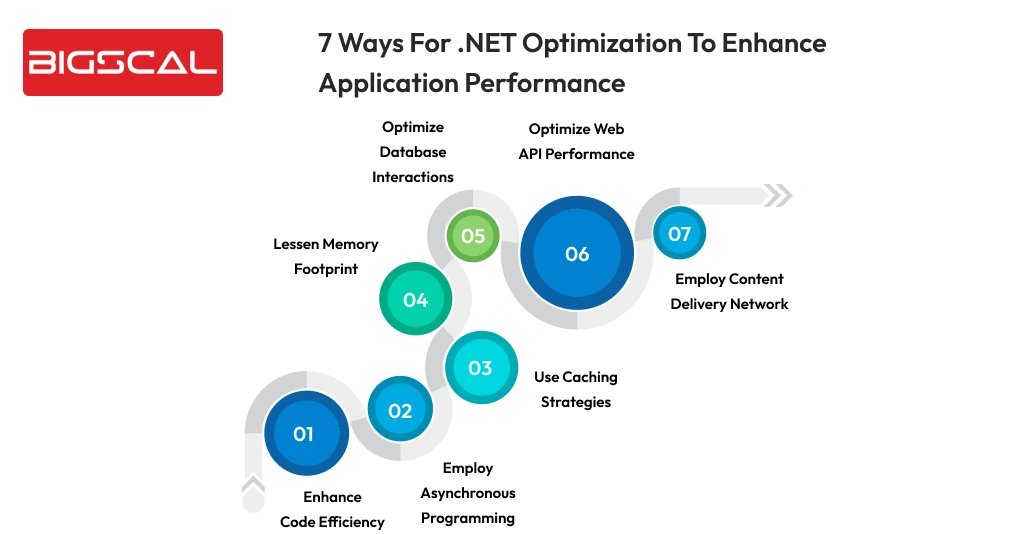
Enhance code efficiency
One of the most efficient ways to enhance the performance of an entire .NET application is to optimize code. It’s always advisable to draft a clean, well written and optimized code. No matter how small inefficiencies are but when you repeat it at scale it can consume a higher amount of memory, slower execution and huge load on CPU. Therefore when you remove unnecessary computations and select the best coding practices, developers can seek visible performance benefits without altering infrastructure.
If you want to optimize code it is necessary that you avoid excessive unnecessary object creation. It is because excessive allocation can result in higher pressure on garbage collectors and reduce speed of execution. In performance critical areas avoid reinstallation of objects instead reuse them. When you are dealing with strings majorly inside loops, try avoiding concatenation as it creates multiple intermediate objects. Rather employ “Stringbuilder” that modifies that same object in memory.
On the other hand LINQ enhances readability. But using it in high frequency operations can lay an impact on performance all due to deferred execution and extra allocations. Hence in such types of situations traditional loops can let you have better control and speed. Creating an optimised code with the following guidelines can lead to faster execution, better resource utilisation and a scalable application.
Employ asynchronous programming
Asynchronous programming stands as a great strength of .NET application development that lets create responsive, fast and highly scalable applications. Majorly this is possible with ASP.NET core. With the help of async and await keywords, developers can execute long running tasks without harming the main thread. Hence it ensures that the application is highly responsive under higher load.
This approach is a best choice for I\O bound operations such as database queries, file access and even API calls. Rather than waiting for these operations to be completed, the asynchronous method ensures that the system can process other queries. Hence ensuring that system can serve more users at once. It leads to lesser response time and delivers a smooth user experience with greater overall performance.
Use caching strategies
Caching is also a considerable performance optimization method. It helps applications scale better and run faster through avoiding unnecessary database queries and repeated processing. When you use caching correctly it can enhance user experience and lessen infrastructure costs. These are a few typical caching methods used in .NET maintenance services:
- In-memory caching: It stores the frequently necessary data into application’s memory leading to faster read operations. It is the best choice for short lived, small and high demand data like configuration settings or lookup values.
- Distributed caching: It is a special choice for a scalable and load balanced environment. It lets multiple instances share the same cached data. As a result, this enhances speed in high-traffic applications and ensures consistency between servers.
- Output caching for ASP.NET: It ensures that repeated instances are served instantly without reprocessing logic. It saves both rendered pages and reordered logics. It smartly reduces the usage of CPU and enhances response times for read-heavy endpoints.
- Cache expiration and invalidation strategies: Set a particular cache lifetimes and refresh rules. It ensures data is always accurate while still getting benefits from performance gains.
When you use the right caching strategy it helps you get balanced speed, scalability and data freshness effectively.
Lessen memory footprint
Heavy memory consumption can impact your application performance negatively. It can even lead to instability and problems in scalability. Hence it is necessary to manage memory properly in .NET applications. It can help lessen latency, avoid memory leaks and enhance overall performance. The following are some efficient methods for handling memory in a.NET application:
- Keep disposing unused objects: Take care of releasing unmanaged resources such as file handles, database connections and streams by implementing IDisposable and using statements.
- Use garbage collection tuning: You can configure GC models such as Server GCor Background GC as per the type of application. Hence it optimizes memory cleanup and lessens pause time.
- Use object polling: Make use of frequently created objects rather than allocating new ones every time. It lessens heap allocations and reduces pressure on the garbage collector.
- Avoid large object allocations: Large objects are stored in the Large Object Heap (LOH). It can enhance fragmentation. You can reuse buffers to avoid issues.
Efficient memory management can provide smoother execution and better performance majorly for high load .NET applications.
Optimize database interactions
Database transactions are often one of the biggest bottlenecks to performance in.NET applications, particularly during the increase of traffic. Slower response times, frequent connections, or poorly-designed data access can negatively affect response times and overall scalability. To create reliable and high-performing apps, it is necessary to optimize database communication. The simplest yet useful optimization is a use of parameterized queries. It provides safety to SQL injection attacks by allowing databases to reuse query plans that are not already stored in cache, but also enhance performance. The results of this are faster query processing and reduced overhead of repeated operations.
Mostly improving query efficiency relies on adequate database indexing. Considerable indexes can lead to faster data retrieval and lessen complete scan requirements. Nevertheless, since idle or bloated indexes will reduce the speed of write operations and increase maintenance costs, it also is required to keep track of them and remove them. Connection pooling, another effective way of enhancing performance, is achieved by not making new database connections with every request, but instead putting the request into an already existing connection. This improves the application stability at high load and reduces connection overhead. Besides, recovery of only required information instead of full records will save on memory usage and on network latency and will lead to faster and efficient access to the database.
Optimize web API performance
It is necessary for applications that expose web APIs to deliver consistent and faster response times. It leads to better user experience along with system scalability. APIs generally handle a high amount of requests, hence even a small amount of delay can double up the load. Therefore it is advisable to follow performance focused best practices. This helps you ensure that the API is always responsive and reliable.
Response compression is one useful strategy. You can employ methods such as Gzip or Brotli. Data delivered across the network will be smaller thanks to compression. Hence this lessens the bandwidth usage and sightable improvement in response times majorly for clients that have slower connections of mobile networks.
Big datasets can only be worked with with pagination. Rather than sending large payloads as a single response.pagination divides data into smaller and more manageable chunks. This accelerates the server gratification, extends API reaction and prevents the clients from receiving excessive data. Response caching is also another successful enhancement. Caching of frequently requested API replies can be done by the server to avoid redundant processing and database queries. This enhances the scalability of the application when there is high traffic due to decreased server load as well as fast response.
Employ content delivery network
For applications that provide static content using a content delivery network can add to user experience and uplift performance. A CDN functions by caching static assets such as images, CSS files, JavaScript bundles and videos across different distributed servers. Hence when a user asks for a content it is delivered from the nearest location rather than the main application server. Hence it reduces latency and load times. This approach will not only impact page speed but also reduce bandwidth usage and server load. Additionally it can help applications in handling traffic spikes in an effective manner. Additionally, it guarantees a consistent performance experience for users in various countries and improves availability.
Conclusion
To sum up .NET optimization is a continual process rather than a one-time event. It can directly impact its scalability, speed and user experiences. Hence you have to look for ways to enhance code efficiency, use asynchronous programming, use smart caching strategies and manage memory effectively. .NET software development is a critical process and developers must avoid these common performance bottlenecks.
It is necessary to optimize performance databases, enhance web APIs and employ a content delivery network to ensure applications are highly responsive even under heavy load. When you use these .NET optimization techniques altogether it can create highly reliable, high performing applications that can scale effortlessly and provide excellent results even in the real world.
FAQ
What are the best tools for .NET performance optimization?
Some popular tools include Visual Studio Profiler, dotTrace, dotMemory, Application Insights, and PerfView to identify and analyze performance bottlenecks.
Why is .NET optimization important for application performance?
.NET optimization helps reduce response times, improve scalability, and ensure efficient usage of CPU and memory resources.
How does asynchronous programming enhance .NET performance?
Asynchronous programming enables non-blocking execution, allowing applications to handle more concurrent requests without freezing the main thread.
Can caching really speed up .NET application performance?
Absolutely. Caching minimizes repeated database calls and redundant processing, resulting in faster response times and improved scalability.
How does memory management impact .NET application performance?
Proper memory management reduces garbage collection overhead, prevents memory leaks, and ensures smoother and more stable application execution.
What role does database optimization play in .NET performance?
Optimized queries, proper indexing, and efficient connection pooling significantly reduce latency and prevent database-related performance bottlenecks.
How can web API performance be improved in .NET applications?
Techniques such as response compression, pagination, and response caching help APIs efficiently handle high traffic loads.
Does using a CDN help .NET applications perform better?
Yes. CDNs deliver static assets from the nearest server, reducing latency and improving load times and overall user experience.
Is LINQ bad for performance in .NET applications?
LINQ is not inherently bad, but excessive use in high-frequency or performance-critical sections can introduce unnecessary overhead.
When should object pooling be used in .NET?
Object pooling is recommended when objects are created frequently and are expensive to initialize, helping reduce memory pressure and improve performance.






