
Application Maintenance Plans for .NET Apps
Quick Summary:Most of the .NET apps do not fail because of bad development rather they fail due to no maintenance after launch. This blog will help you uncover what .NET app maintenance means and what costs you have to pay for it. Additionally you will also get to know how critical situations could arise if you do not focus on maintenance services. To keep your application alive, secure and high performing you will have to update it and carry out preventive fixes. Let’s discover exactly what you need to do to make your app future ready.
Introduction
When you launch your software to the market it’s not a game finished well rather it is just a start. If you fail to regularly update or maintain the application it would surely cause a disaster. Even the best softwares can fail to work, slow down, break down due to pressure or even might make you prone to costly risks. Hence your .NET development services need to have an application maintenance plan from day one.
Many teams realize the need for maintenance services when their servers go down, incurring a great loss. It even frustrates your customers and leads to a serious breach. Having a solid .NET application maintenance plan by your side can be a game changer. It helps you have a clean and clear framework that ensures your application is scalable, reliable and keeps growing with time.
Through this blog we will break down everything about a solid .NET application maintenance plan, its costs, and steps that can lead you to a sigh of relief.
What is an application maintenance plan?

Many wonder what it exactly means to carry out software maintenance? General answers to this would be fixing bugs as they arise. But this isn’t what actually ought to occur. .NET application maintenance goes way beyond just spotting and fixing bugs. It’s a necessary and systematic approach to ensure your application is healthy, possesses proper security and is relevant since you have launched it. You can call it as a regular health checkup for your application.
Just as preventive healthcare does, these maintenance plans can protect your application from small problems that might have eventually turned into an emergency situation.
A .NET app maintenance plan is a document that has all the details on how you should monitor your software, support it, improvise it and keep it in alignment with new updates after its release. It encompasses things such as:
- Plan on fixing bugs
- Enhancing performance
- Security update patches
- Regular updates for compatibility
- Improvement in features as per user inputs
The end goal of this plan is to ensure that the software works great, stays secure and continuously provides valuable output for users. If you do not have an exceptional maintenance plan you might be at a serious financial risk. Downtime or a major bug that you might not have anticipated can hit at any time. And unplanned situations can cause you thousands of dollars per minute.
Systems that are unpatched can create a room for plenty of vulnerabilities and increasing technical debt reduces performance. Both of these can cost you plenty of money.
Hence by now you might be aware of what .NET app maintenance plan is and its importance.
Don’t let small issues turn into big losses?
- Stay ahead with proactive fixes
- Keep your .NET app smooth and secure
How much does .NET app maintenance cost?
Hiring.NET developers and paying their salaries and tool licenses is only one aspect of application maintenance costs. Here you ought to pay a complicated mix of costs both direct and indirect along with opportunity charges:
- Direct costs include labor charge, license costs and infrastructure.
- Indirect costs consist of long lost productivity while update is in process and providing training for new tools.
- Opportunity costs include resources that you use on maintenance in replacement of new features.
The real total price spent on maintenance must also include risk factors. When you have any unpatched vulnerability it can cause breach. Similarly if your application doesn’t perform well you could lose users. Hence these hidden charges are generally more than visible ones. It is necessary to ensure ongoing maintenance rather than thinking of it as a one time show.
You can set a monthly budget for .NET app maintenance between $5,000 to $50,000 as per complexity and size of your software. And as per your software’s lifetime its maintenance costs might reach up to 50% of total cost of ownership.
Hence how you deal with these costs might depend on you. When you choose in-house maintenance it gives you complete hold but comes with salaries and commitment. Outsourcing could be a difficult call in terms of coordination but can save you money. Knowing how much to spend and where to save is a key component of a good budget.
To ensure that you are fully covered, set 15-20% of your budget aside for maintenance to anticipate any unwanted situation.
Top 4 types of applications maintenance plans to try
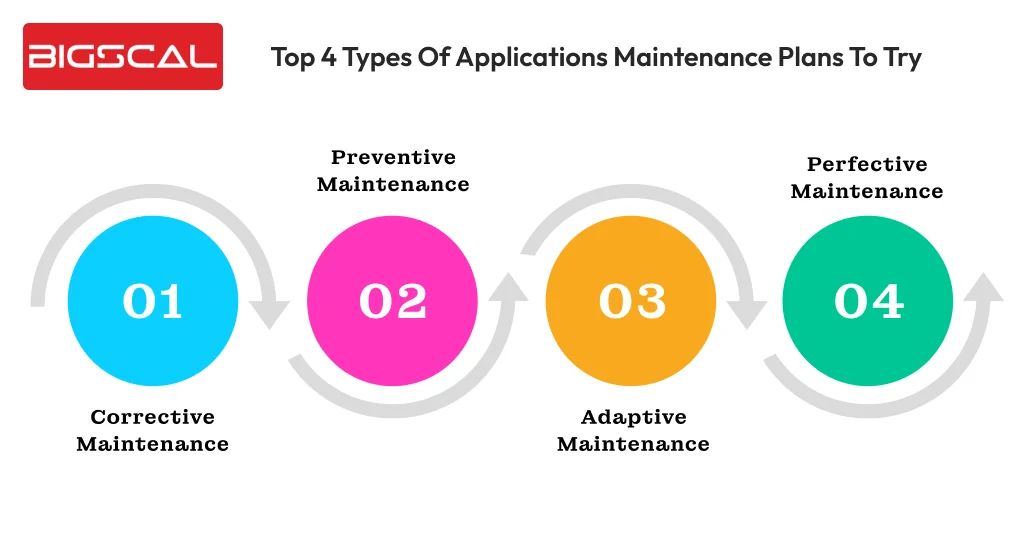
Through this section we tend to cover four types of .NET app maintenance that can help you out.
Corrective maintenance
As the name suggests, corrective maintenance is all about spotting and fixing bugs and errors that you face while using the application. Software bugs can come in different forms such as:
- Functional errors that result in broken logic or incorrect output.
- Performance issues arising due to slower response times or bottlenecks.
- Security vulnerabilities that result in exposing sensitive data.
- UI glitches that either frustrate users or confuse them.
Hence an excellent .NET application development service must detect, analyze and fix this issue. Tools such as Sentry or Rollbar can check errors, Splunk can log them and GitHub or Jira to fix those. Having a framework for automated testing and cleaning up code regularly can fix these faster and make the system reliable.
But be aware here the aim is not only patch work for issues but prevention of root causes. Here are some metrics that you must track:
- Means Time to Detect helps you understand how fast your team was able to detect the issue.
- Means Time to Repair can inform you about the time taken to fix and deploy a solution.
- Bug escape rate tells you the amount of bug that has made it to the production.
Although corrective maintenance is a responsive measure, you must have a proactive approach with a proper strategy. Feel that each fix you make is a chance to learn to avoid problems in the coming time.
Preventive maintenance
Preventive maintenance involves fixing errors before they even affect users. Rather than you wait for crashes or slowdowns, you regularly check your code, system health and update them to ensure your application functions smoothly. It’s considered to be a necessary hygiene for your application. Tasks that you must carry out in preventive maintenance are:
- Reviewing code to analyze chances of memory leaks, inefficient logic or unnecessary processes.
- Maintaining database by optimization of queries, cleaning indexes and archiving old data.
- Security patches can be done through closing vulnerabilities before exploiters spot them.
- Carrying out automated code scans on a daily basis to relieve developers from focusing on complex issues.
You can expect great results from these activities if they are done consistently and in an organized manner. Preventive maintenance should be well structured and an ongoing effort. To build such a plan you must focus on:
- Clearing schedules and checking the system are more critical to avoid problems.
- Keep a proper documentation of past maintenance records and its procedures to avoid chances of confusion.
- Ensure that your team is on the same page and understands the proper approaches.
- You must implement monitoring tools to keep an eye on performance metrics and check indications or signs.
- Keep checking the effectiveness of your system through KPIs such as speed, usage of resources and more.
Preventive maintenance is a way to ensure that your system is reliable at every time and provides a relishing experience. You may guarantee a longer product life and long-term success by incorporating it into your regular routine.
Adaptive maintenance
Know that your software doesn’t exist as a single system. Business needs continuously increase along with API updates, new system and operating system updates. Hence adaptive maintenance is necessary to ensure that your system is capable of adapting to these new shifts. You must rely on following things:
- Keep a track of the technology changes that are platform, framework and others that you rely upon.
- Check how changes in technology can affect the working of your application before it turns into an emergency.
- Make a choice of what adaptations are urgent now and what can still wait.
- Keep a schedule ready for updates making related changes wherever necessary.
If you want great adaptive maintenance it starts from the design step itself. When you insert flexibility into your system it can make future updates easy. Here’s what you must follow:
- Make sure you have separate components so that updates don’t affect the entire system.
- Use interfaces to contain the impact of changes in external dependencies.
- If you do not want to rewrite code to adapt to alterations make use of feature flags or environment variables.
- Depend on automated testing systems to spot bugs before they can cause damage.
If you ensure to use adaptive maintenance as a regular practice your software will work longer and development timelines will be surely predictable.
If you want your app to adapt to new changes faster, cleaner and in low effort then build your app in small independent modules.
Perfective maintenance
Perfecting something means making improvisation in an already excellent stuff. The same holds good for .NET maintenance services. Rather than just correcting bugs or reacting to external changes your aim is to improve what is already working. You want to make it faster, easier to use and worth the user’s time. Some areas of improvement can include:
- Creating a smart reporting tool that has excellent visualization.
- A navigation that is clear and more straightforward.
- More effective integration with existing systems.
- More enhanced experiences on cell phones.
- A tool for personalization providing space for users to mould products as per their needs.
Each refinement that you make will be a chance for your application to outshine. Set a realistic goal, make a gradual release, and check the response of users. Collect user feedback along with data to have a report.
Additionally keep watch on metrics such as:
- User satisfaction score that can help you understand how it impacts them and if they notice positive changes or not.
- Monitor performance benchmarks with time.
- Track if the changes in application have resolved issues or not.
The best team such as Bigscal Technologies carry out perfective maintenance through a well structured strategy and keep collecting user feedback.
Conclusion
A .NET application is not something that you develop and forget. It needs attention in terms of an ever evolving world of technology that has new additions each day. Your app must be relevant and compatible with new technologies while being free from bugs. Hence a well structured maintenance plan can make your .NET software development safe, secure, high performing and aligned with all new technologies. No matter if it’s about fixing bugs, improving features or adapting to new applications trends, every effort you put into maintenance will result in long term stability.
By investing continuously .NET app maintenance you protect your system from costly downtime and lessen technical debt. It ensures that your company is prepared for future debt. The right strategy doesn’t look after maintaining your application but strengthens it and makes it future proof to ensure competitiveness in a fast changing landscape.
FAQ
Why is continuous maintenance important for .NET apps?
Continuous maintenance ensures your application remains secure from threats, stays relevant, and remains compatible with emerging technologies.
Can application maintenance increase the lifetime of my app?
Yes, regular maintenance protects your application from bugs, ensures timely updates, and keeps it aligned with new technologies, extending its lifespan.
How does .NET app maintenance affect end users?
Maintained applications deliver smoother performance, better interfaces, and improved reliability—resulting in a better experience for end users.
How do I get ready for emergency maintenance?
Prepare by defining what qualifies as an emergency, documenting possible risks, and creating a clear action plan to resolve issues quickly.
How often should you update .NET apps?
Small updates should be performed monthly, while major updates are recommended quarterly or at least twice a year.
What are signs that my .NET app needs maintenance?
Frequent crashes, slow performance, outdated libraries, warnings, and negative user feedback are key indicators that maintenance is required.
Should maintenance be handled in-house or outsourced?
In-house teams offer full control but can be costly, while outsourcing to providers like Bigscal Technologies ensures efficient, budget-friendly maintenance.
How does maintenance contribute to app security?
Regular maintenance includes security patches, dependency updates, configuration checks, and vulnerability monitoring to protect your application.
Does every .NET app need formal maintenance?
Yes. Even smaller applications need structured maintenance to avoid performance issues and security risks.
Can maintenance affect app scalability?
Absolutely. Performance tuning, database optimization, and architectural updates help applications scale smoothly as user demand increases.






