Containerizing .NET Applications with Docker & Kubernetes
Quick Summary: Since its inception, modern .NET applications must be scaled, consistent and fast. This blog looks at how Docker and Kubernetes make it possible to create the improved control and reliability of containerized.NET deployments. Additionally it explains that orchestration and containers can make development easier. Additionally it enables scaling of workloads and maintains application stability regardless of the environment.
Introduction
If you are a developer eagerly waiting to develop an application with faster time to market and best security then containerisation is a great choice. Additionally you won’t need to configure the application in order to run it into the machine as you can pack software along with its dependencies into a container. A recommended tool for this process is Docker which lets you handle the containers through Kubernetes.
It assists you in automating a number of tasks, including self-healing, scalability, and load balancing. Additionally you can employ Kubernetes in production to ensure orchestration in the .NET development services and deployment of applications that are packed in containers. Using this blog, we will attempt to investigate .NET containerisation in detail and how to use Kubernetes and Docker for this purpose.
What is a container?
Prior to proceeding with exploring the process of .NET containerisation it is necessary to understand what a container is. The simplest way to define a container is a software that has code and accompanies its dependencies. It is especially created for executing in a reliable manner and is efficient across different computing environments.
Some of the crucial components of a container encompasses a container image which is packed in an independent and light weight package along with all needs for running an application. It comprises libraries, code, runtime, configuration and more.
Experts in developing.NET applications frequently make use of the isolation feature included in each container. They do so to ensure that each of them could run independently with its unique libraries, software and configuration files. Additionally all the containers in the system can be well defined to communicate with each other and employ a single operating system kernel for execution.
So what does it lead to? It ensures efficient usage of resources than virtual machines by letting more than one container or isolated user space operate under a single host.
Understanding containerisation
By now you must be well aware of what a container is. Now it’s time to understand .NET containerisation in depth. As stated before you can run an application or any machine along with all of its dependencies without needing to configure it. And containerization makes this feasible. It lets you easily deploy and manage cloud applications in the cloud through this technology.
There are plenty of tools that can let you execute the process of containerisation but two of these are very popular namely Docker and Kubernetes. The first one lets you create a container for packaging an application and the other one ensures that it is simpler to orchestrate the deployment and management of the container. So let’s understand how you can execute containerisation with the help of Docker and Kubernetes.
What is Docker?
The .NET software development company you hire like Bigscal will package your applications into containers with the help of runtime and use Docker for this task. Its primary goal is to convert applications into incredibly light software containers.
Moreover, Docker allows developers to bundle application code and all the libraries, dependencies and settings into one container. Consequently, programs will act identically in the development, testing, and production environments. Docker removes the common problem of working on an application because it will run the same way at every step of the deployment process. Consequently, development teams can work on developing features, and not on addressing environment-related issues.
Additionally, Docker increases the speed of deployment because containers are launched quickly. And they consume fewer system resources. As a result, businesses will be able to adopt upgrades more quickly and react to market shifts more quickly. Simultaneously, Docker simplifies scalability because it enables teams to run a significant number of container instances with increased traffic. Enterprises can therefore maintain performance in high demand without alleviating their application architecture.
Docker is compatible with the current DevOps processes and CI/CD pipelines. Consequently, testing, deployment and rollbacks are easy to automate in teams. On the same note, Docker can be easily incorporated with orchestration platforms like Kubernetes, which are used to scale containerized .NET applications. Hence organizations can have better control, visibility, and reliability throughout the lifespan of the application.
Why use Docker for .NET application development?
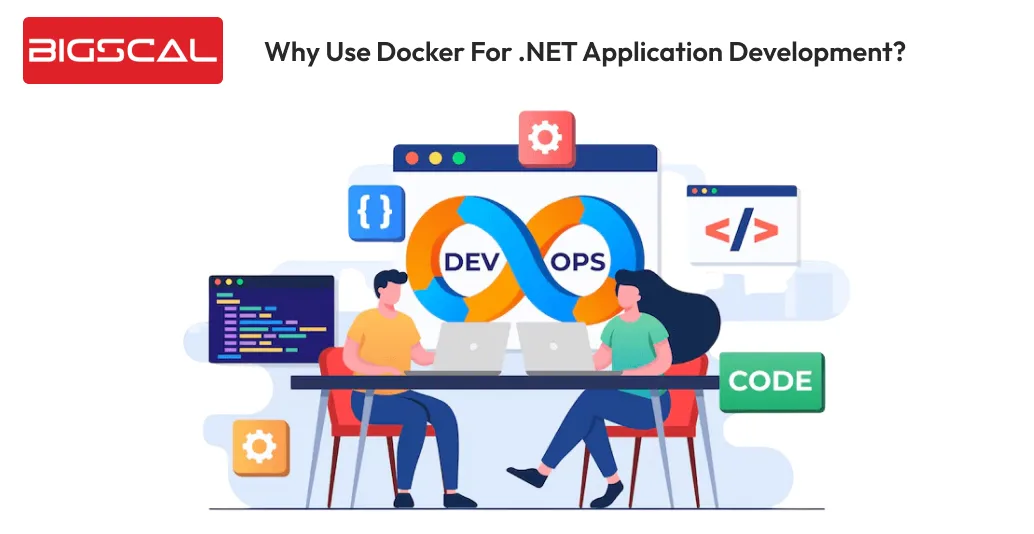
When you want to ensure that software development and deployment strategy is straightforward, it’s advisable to use containerisation technologies with the help of Docker. It provides freedom for developers to create and manage different containers that are lightweight and lets applications stick together like one along with its dependencies.
Docker uses self contained packages known as container images to accomplish this task. This image consists of code, dependencies and system libraries. Therefore, you might claim that it has everything required for an application to function. When you get a developer they can set up, release and deploy Docker images faster. Hence it lets them free for more crucial tasks such as complex configurations and implementation.
Employ multi-stage Docker builds for .NET applications to reduce image size, enhance development speed and ensure your production containers are clean and secure.
What is Kubernetes?
You can easily create containers for packaging your application with the help of Docker and Kubernetes. Hence for .NET application development process you will require Kubernetes as a tool to orchestrate the process of deployment and manage those containers across different hosts.
Kubernetes enables the teams to roll out, regulate, and expand containers in a coordinated style. Hence it keeps its functionality and maintains its application functionality through monitoring the health of containers and restarting services in the event of issues.
The plan will conserve downtime and enhance applications reliability in all environments. Kubernetes also has automatic scaling depending on the workload needs. Moreover applications are able to deal with changes in traffic easily without manual intervention. Besides this, Kubernetes also allows rolling upgrades, which means that a team can roll out new versions without causing service disruption.
Teams can successfully use Kubernetes on-premises, in cloud environments, and in hybrid setups. It improves deployment efficiency because teams can easily integrate it with DevOps tools and CI/CD pipelines.
A combination of Kubernetes and professional .NET development services can help organizations enhance control, scalability, and stability. Consequently, Kubernetes is critical in the development of modern and powerful.NET applications.
Why should you use Kubernetes for .NET applications?
Development companies employ Kubernetes for managing and scaling applications packaged into containers with the aid of Docker. Kubernetes or KBs can help you automate the complete process including deployment, scaling and management of containers across multiple nodes.
Hence if you are exploring ways to streamline orchestration of containers Kubernetes can be a potential option for you. Developers can define and declare the state of your application with Kubernetes’ YAML manifests.
If you wish to manage desired states use Kubernetes for scaling as per demand, planning containers and managing availability and health. Also you don’t have to worry about the underlying infrastructure when the need for scaling arises for managing increasing traffic and workload.
Instead, developers can focus on managing the nitty-gritty of container deployment rather than getting stuck in the process of creating and maintaining the application. Hence it ensures that .NET maintenance services are lesser harsh on the pocket.
How to perform .NET containerisation with the help of Docker and Kubernetes?
Now it’s time to answer the most necessary question that is how you should perform .NET containerisation with the aid of Docker and Kubernetes. As part of the first step you have to use a self -contained environment to run the application after packaging into the container. This is the process where applications are separated from each other and their host operating system.
The primary step of packaging application into container is completed with the help of containerisation platform namely Docker. The packaged application has configuration files, system tools and libraries that the app requires to run smoothly. It lets you deploy and run applications in different environments without worrying about infrastructure differences or dependencies.
The second step in containerization is implemented using Kubernetes, which is a container orchestration platform. It allows the automated deployment of the applications that are packaged into containers, scaling of the containers and managing the containers. Moreover you can enable it with several Kubernetes features including rolling updates, self-healing and autoscaling.
You can also combine the platform with other services of Google Cloud Platform (GCP), such as BigQuery, Stackdriver Monitoring, Google Compute Engine (GCE), and Stackdriver Logging.
You must install Docker and Kubernetes on your computer or server first in order to use it in containerization. The other requirement of Kubernetes is cluster configuration: After installing both Docker and Kubernetes, you can start packing your applications into containers. Do it with the help of images with the help of one of the container registries such as the Docker Hub.
Develop scalable .NET apps with ease
- Deploy reliable containers
- Improve scalability and maintenance
Conclusion
In conclusion, teams can enhance consistency and reliability across all environments and accelerate development by using .NET containers. Due to Docker, developers are able to safely deploy programs with dependencies anywhere. Additionally Kubernetes manages scaling, deployment coordination, and self-healing. As a result, this approach reduces configuration issues and speeds up releases.
Therefore, companies cut costs and operating timeframes and simplify long-term planning. Most importantly, developers focus on development of features instead of managing infrastructure. Subsequently, the combination of Docker and Kubernetes with .NET containers provides contemporary applications with improved and quicker maintenance services and reliability.
FAQs
How to containerize a .NET app for scalability?
You can containerise a .NET application with the help of Docker to package it and Kubernetes to handle scaling. Hence it automatically modifies container instances in response to demand.
What are .NET containers?
.NET containers are used to bundle an application accompanying runtime, libraries and dependencies. Therefore letting it consistently run across different platforms.
Why should developers use Docker for .NET applications?
Docker can make it simpler to package .NET applications into lightweight containers. They run in the same manner in development, testing and production.
How does Kubernetes support containerisation?
By controlling deployment, scaling, load balancing, and self-healing across several nodes, Kubernetes organizes .NET containers.
Are .NET containers better than virtual machines?
Yes .NET containers employ fewer resources than virtual machines. Hence it supports faster startups, better scalability and great efficiency.
Can .NET containers run in the cloud and on-premises?
Yes it is possible to run in .NET containers seamlessly across cloud, on-premises and hybrid environments.
Do .NET containers improve application security?
Indeed, containers restrict the effect of vulnerabilities and lower security risks by isolating dependencies and programs.
How do .NET containers reduce maintenance costs?
By standardizing installations and automating scaling,.NET containers minimize manual labor and lessen the cost of long-term maintenance services.
What tools are required to build .NET containers?
You will need Docker to build container images and Kubernetes for deployment and management of these containers at scale.
Do .NET containers support microservices architecture?
Yea .NET containers work best with microservices by letting each service run independently along with its dependencies.






