How to Build Real Time Apps in .NET with SignalR?
Quick Summary:This blog describes the usage of SignalR to work with high-performance .NET real time applications. The working of SignalR and its major advantages over rival technologies, as well as best practices of scalable and reliable deployment, are discussed. We will help you understand development of .NET real time apps with SignalR in a detailed manner for better clarity.
Introduction
The world is moving faster than you might have expected and the same holds true for web application development. Can you think of the time when you had to refresh a web page every time you had to get a new update? Well this is not the case anymore. Let’s look at it through an example. If you place a food delivery order online, you see its status being updated every now and then. It’s like an order is accepted, your food is being prepared and lastly your driver is at your door.
You get to have constant updates on your order until it reaches your doorstep without needing to refresh. As per User Guiding it is expected that 39% of users do not prefer to interact with web pages that need longer time to load. Hence users these days are interested in having real time updates without asking for it.
Real time applications are transforming operations and customer interactions for many niches. And this is possible with Signal R and .NET development services. When you use SignalR it reduces latency in communication and can easily switch to other transport mechanisms when needed. This guide will be your aid to explore .NET real time apps built with Signal R.
Understanding Signal R and why use it?
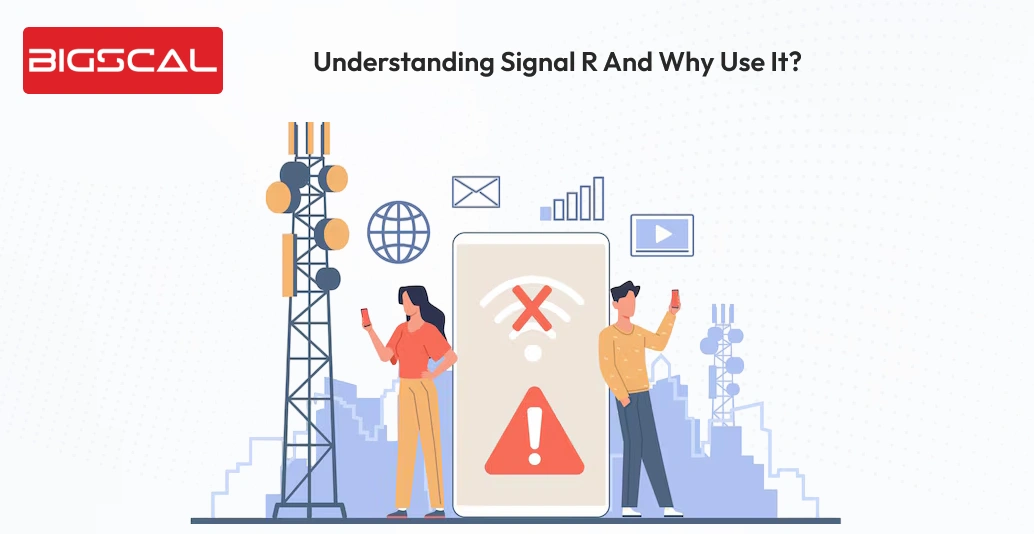
SignalR is an exceptional choice for creating real-time web apps through an easy approach. It is an open-source ASP.NET library. Rather than waiting for consumers to refresh the page, these real-time applications provide users with a feeling of being connected. Hence they get their hands on the most recent information as soon as it becomes available.
Developers utilize SignalR for the following reasons:
- It makes it simple for creating real-time online applications with minimal overhead, such chat apps and live dashboards.
- It uses theWebSocket protocol by default for real-time communications. Additionally when WebSocket doesn’t support it, it hybridizes with alternative protocols such as HDXP, Forever Frames, or lengthy polling.
- Additionally it enables the client to invoke the server side SignalR methods to trigger the data being pushed to the client, therefore, facilitating intercommunication.
- Regardless of the number of users and connections, real-time capability is fully functional in large or business applications and has no scaling problems.
- It hides the complexity of real-time application configuration, such as data processing and management of communication.
- It is a very good solution to use when it is necessary to maintain some regular updates of the server such as online gaming and other collaborative tools such as live document editors.
There are plenty of other use cases of SignalR in different real time applications that might compel you to use it along with .NET software development.
What does Real-Time Communication in Web Applications with ASP.NET Core SignalR means?
The world today is moving at a very fast speed hence nobody is interested in waiting for a longer time. There are plenty of real time apps these days that serve constant updates no matter if we are trying to get in touch with a friend and watching over typing or ticks and their color. A driver getting to your place for daily commute through riders app or fluctuating prices in the finance app. All of these help you stay updated with the latest information, isn’t that exciting? Of course it is. This is what real time applications mean.
There are plenty of different technologies running to get you all these latest information on a plate. Hence through this blog we will cover everything step by step from back end to front end for development of .NET real time applications along with SignalR. So let’s start uncovering everything, one at a time.
Build Real-Time Apps That Perform
- Expert .NET SignalR implementation
- Scalable, low-latency solutions
What Difference Do Real-time Web Applications Bring?
Previous and old school applications used to function as a response request model. Hence it used to show the requested data that is preset. But with the introduction of real time apps, web apps provide instant exchange of data among users and the server.
To ensure that the transmission of data between user and system is smooth without manual requests there are several technologies that play a role. These technologies are WebSockets, Server Sent Events, Long Polling and HTTP Streaming. Each of these technologies have their advantages but when you try to compare them with ASP.NET core with Signal R, surely the later one is best. Let’s understand it through a table:
| Criteria | ASP.NET Core with SignalR | WebSockets | Server-Sent Events (SSE) | Long Polling | HTTP Streaming |
|---|---|---|---|---|---|
| Real-time Capability | Excellent | Excellent | Good (one-way) | Moderate | Good |
| Communication Type | Full-duplex | Full-duplex | One-way (server → client) | Request–response | Mostly one-way |
| Ease of Implementation | Easy (high-level API) | Medium | Easy | Easy | Medium |
| Scalability | High (Azure & Redis support) | Requires custom handling | Limited | Poor | Limited |
| Fallback Support | Yes (automatic fallback) | No | No | Yes | Limited |
| Connection Management | Automatic & managed | Manual | Automatic reconnect | Manual | Manual |
| Browser & Client Support | Broad & cross-platform | Modern browsers | Modern browsers | All browsers | Varies |
| Best Choice for Real-Time Apps | Best overall choice | Good | Situational | Not ideal | Situational |
What does ASP.NET core Signal R offer?
Well to sum up its offerings we have listed some of them:
- Automatic transport selection: It senses the network conditions and capabilities of the user side for selecting the best approach for communication for data exchange.
- Development ease: SignalR is responsible for providing a higher level AP that eliminates lengthy and time wasting processes of handling WebSockets through manual approach. Hence it lets developers solely concentrate on business logic.
- Scalability: You don’t have to worry when SignalR is by your side as it easily integrates with Azure SignalR services, Redis backplanes and cloud deployments for enterprise applications.
- Cross platform and multi-client support: A developer can create mobile apps using Flutter or React Native as it works great.
- Security and authentication: SignalR is known to integrate easily with JWT for a safer token dependent authentication. Hence it is majorly employed in single page or mobile apps. Additionally it also integrates with OAuth & OpenID connect to carry out third party integration.
Hence this is why real time .NET application development with SignalR brings a difference.
Step by step guide to set up ASP.NET core with SignalR
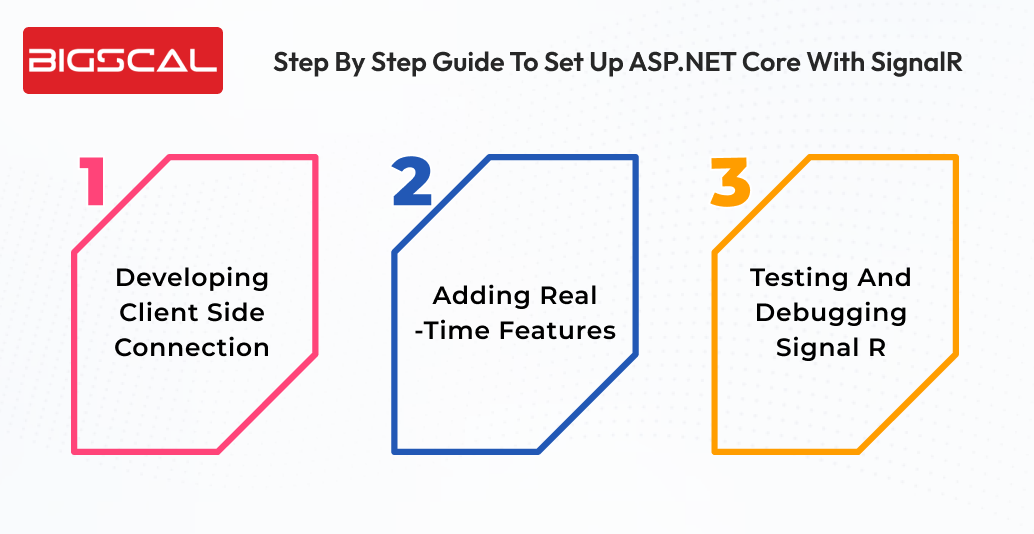
Before you begin real time coding, develop your ASP.NET core SignalR project with these steps.
Step: 1 Develop a New ASP.NETCore project. For this you will have to begin with Visual Studio or Terminal for a fresh project.
Step: 2 Add a SignalR NuGet package. For this you have to install the SignalR server library.
Step: 3 As the next step you have to configure SignalR in Startup.cs
Now you are at a point to develop your first hub. A hub is the main class in SignalR. It works on all client-server communication.
You must start with a minimal SignalR hub and scale features later. Keeping this simple can help you avoid complexity at an early stage.
Developing client side connection
In your project you have to ensure installation of SignalR JavaScript client.
Step: 1 As the first step install SignalR Client in your web project.
Step: 2 Setup connection to the hub. It ensures that every time you send a message to the hub each client connected to it will receive a message.
Adding real-time features
SignalR is not only the best choice for chat rather it’s a great option for every app that needs real time updates. Here are some instances:
- Real time chat app: It lets users send and receive messages on an instant basis. Best choice for customer service or social sites.
- ASP.NET core notifications on real time: Receiving push notifications on each order placement. Showing the health of the systems on the main dashboard.
- Live dashboards: Provide users with the latest market trends. Ideal choice for Fintech, analytics and trading companies.
Testing and debugging Signal R
There are following common issues that you might face when developing real time apps with Signal R:
- Connection problems where you have to check hub routes or CORS policies.
- If you face a message not received then ensure clients have subscribed properly.
- Check Azure Signal service load handling for scaling issues.
For efficient messaging without problems you must lessen payload sizes and use groups.
Conclusion
Businesses that are looking to enhance user experience must always look for developing a real time web application. .NET SignalR makes it easier for developing interactive applications that bring capabilities to provide real time responses. No matter if you wish to work on a real time messaging application, live notification or something else, SignalR provides a smooth path for transmission. It has built in SignalR WebSockets support that makes applications faster and responsive irrespective of traffic.
To develop real time apps with ASP.NET core SignalR, developers should always concentrate on being scalable, secure and better performing. Additionally .NET maintenance services are always a great help to keep your app in a good shape. To make sure all the concurrent users are dealt with Azure SignalR service and Redis scaling strategies can provide reliability and efficiency. Moreover you have to use best practices to ensure high performing real time apps that fulfill modern business needs.
FAQs
How does SignalR enable real-time features in .NET?
With SignalR, you get instant server-to-client communication that provides persistent connections without needing to refresh the page.
What are .NET real-time apps?
Apps that provide live updates such as notifications, chats, or status changes are known as .NET real-time apps.
Why is SignalR preferred for .NET real-time apps?
SignalR simplifies real-time development through automatic transport selection and built-in scalability features.
Does SignalR use WebSockets?
Yes, SignalR primarily uses WebSockets and smoothly falls back to other transports when WebSockets are not available.
Can SignalR handle high-traffic applications?
Yes, SignalR scales efficiently when combined with Azure SignalR Service or Redis backplanes.
Is SignalR suitable for enterprise applications?
It provides enterprise-grade security, authentication, and governance capabilities.
Can SignalR be used with mobile and web clients?
Yes, SignalR supports web, mobile, and cross-platform clients.
What types of apps are best built with SignalR?
Chat applications, live dashboards, notifications, tracking systems, and collaborative tools are ideal use cases.
Is SignalR hard to implement in .NET?
No, SignalR offers a high-level API that makes implementation simple and developer-friendly.
Can multiple users receive the same update simultaneously?
Yes, SignalR supports broadcasting messages to multiple users, groups, or all connected clients at once.






