
Mastering Data Access in .NET with EF Core
Quick Summary:Any high-performing.NET application is based on smart data access, and the present article demonstrates how to do it through Entity Framework Core. Find out why the EF core is now the backbone behind the development of the modern.NET and how the performance and maintainability can be greatly enhanced by following the right best practices. Through this guide, you will be able to learn EF Core effectively and unambiguously, both queries or schema migrations.
Introduction
Data access can either make or break your .NET application. If used promptly and accurately it can make .NET development services fast, reliable and scalable. And if not then it can create performance bottlenecks that are hard to debug and even harder when it comes to maintain. As applications keep growing it gets tough to create raw SQL, manage connections and handle inconsistencies in data. It gets time consuming and error prone. Hence this is where EF core best practices make a huge difference.
Think of EF core as more than just a data access tool. When you implement it in the best manner and with the optimal approach you can lay a powerful foundation for development of clean, maintainable and high performing .NET applications. But many developers are not completely able to crack its full potential due to improper configurations, inefficient queries and overlooked optimization. Hence this is why understanding EF core is essential and not optional.
We’ll teach you how to use EF core for data access in.NET in this guide. We will also explain how it works and why it is a preferable choice for modern .NET applications. No matter if you are developing an enterprise application or building APIs or high traffic systems, this blog will help you implement EF core in the right way.
What is Entity Framework Core?
Entity Framework Core is a unique, modern day and lightweight platform that has an open source Object Relational Mapping framework especially for .NET and .NET core based applications. It lets developers work with relational databases while obeying the object oriented programming principles rather than forming raw SQL queries. Moreover it functions to close the gap between the underlying database and the application’s domain model. It carries out this function by mapping database tables, columns and relationship to the properties and class of .NET.
Developers may do standard database activities like creating, reading, updating, and even deleting data with the aid of EF core in .NET application development. All of this through known language such as C# or VB.NET. It also favours LINQ ensuring strongly typed queries that one can read, maintain and refactor with supreme ease. It also is responsible to handle database connections, change tracking and data validation automatically. Hence it avoids boilerplate code and even risk of errors.
Additionally EF core is also known to support multiple databases such as SQL Server, PostgreSQL, MySQL, and SQL lite. Hence it is the best option for cross platform compatibility. It also has features such as migration that is powerful for managing database schema with passing time. EF core also provides control to the developers with the help of performance optimization features such as compiled queries and no tracking queries. Hence at last it’s best to conclude that EF core makes data access simpler, enhances productivity and lets developers work on business logic rather than database plushing.
Why choose EF core for data access?
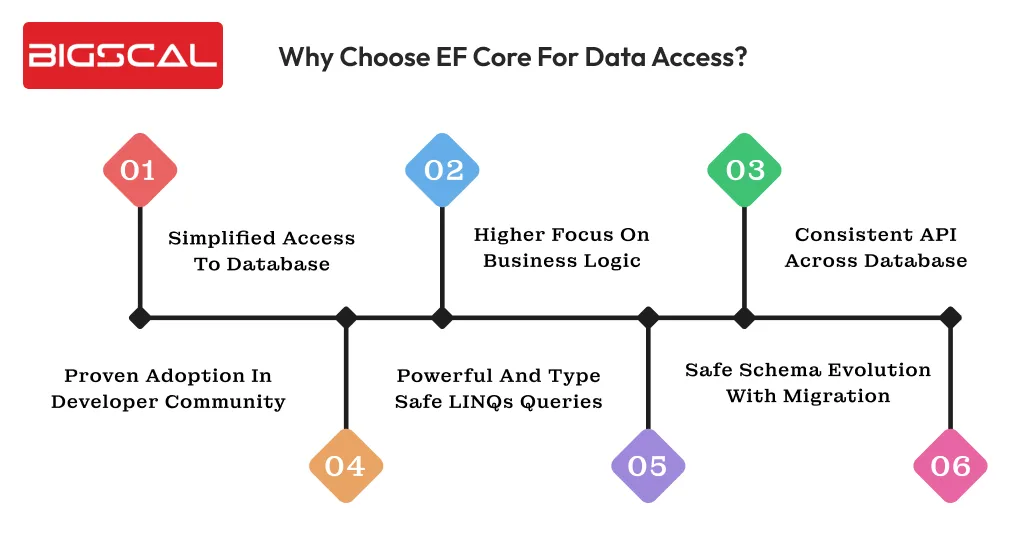
Let’s dive into reasons why EF core can be a great choice for data access in .NET:
Simplified access to database
When you use the EF core framework for .NET software development it eliminates the need to deal with the low level database operations such as managing connections, handling data readers or creating SQL commands on repeat basis. Hence developers can work with strongly typed objects along with DbContext. It eventually results in cleaner, more readable and error free code. This also leads to reduction in the complexity of development majorly when it comes to larger applications that need more database interaction.
Higher focus on business logic
EF core works after regular data access responsibilities such as query execution, change tracking and even transaction management. Hence as a result developers are free and can provide more time to concentrate on business rules and application workflow rather than solving database concerns. This separation can also benefit in terms of code clarity and make applications easy to understand and execute.
Consistent API across database
One of the main benefits you can experience from EF core is its consistent programming model. It works even across different database providers. No matter if the application uses SQL Server, PostgreSQL, MySQL or even SQLite, you can apply the same core and even pattern. Hence this consistency can avoid chances of vendor lock-in and make future migrations effortless. Also it ensures multidatabase support is more manageable.
Proven adoption in developer community
EF core is set as the core component of the modern .NET ecosystem. It is majorly used alongside the ASP.NET core. Moreover as per a survey from StackOverflow Developer Survey from 2023, almost 16.6% professional developers across the world use ASP.NET Core. Hence it strongly indicates adoption of EF core as a default CRM in modern .NET applications.
Powerful and type safe LINQs queries
EF core takes advantage of in-built LINQ support Hence it provides strongly typed, compile time checked queries easy to read, maintain and refactor in comparison to raw SQL scriptings.
Safe schema evolution with migration
EF core provides support to database migration helping teams to evolve database schema with passing time in a more controlled and versioned manner. Therefore, the entire script does not need to be rewritten.
Make use of AsNoTracking() for heavy load scenarios such as APIs or dashboards to reduce memory usage and enhance performance quality in high traffic applications.
Setting up EF core for database access in .NET
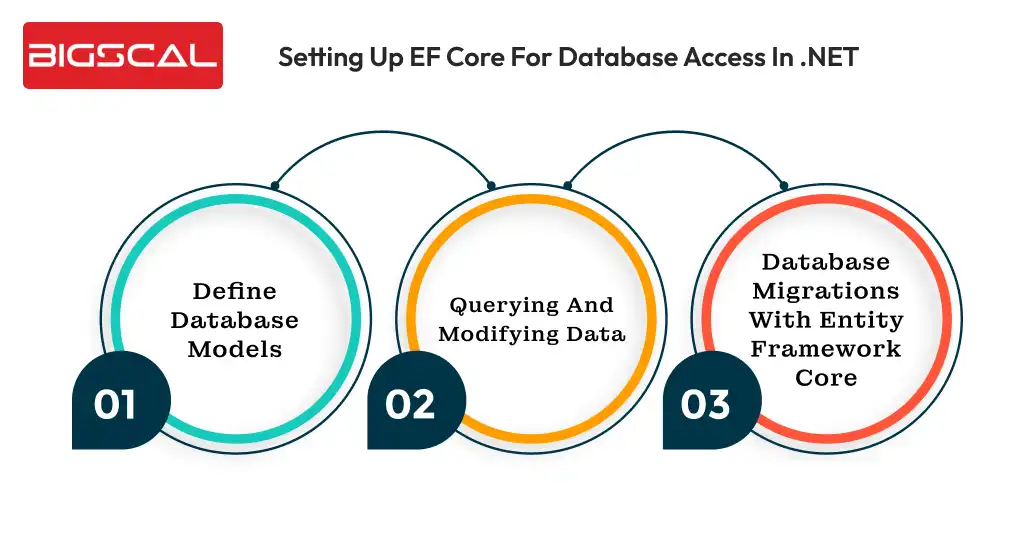
The first and foremost step you have to work on before using EF core for the database is to set it up in your .NET application. You can carry out this by using the EntityFrameworkCore package to your project with the help of NuGet Package Manager.
After you have completed adding the package, you will have to configure the DbContext which is the primary class in Entity Framework Core for managing both interactions and database. The Dbcontext also managed your database tables to .NET core objects. As a result, it provides a collection of ways to query and edit data.
For configuring DbContext you will have to develop a class that is inherited from DbContext class and overrides the onconfiguring method. Select your database provider it can be SQL Server, MySQL, or PostgreSQL. Also choose a connection string that instructs Entity Framework Core on how to connect to your database in the OnConfiguring method.
Define database models
Entity Framework Core lets you define your own database model with the help of code first development. Hence it means you define schema for your own database with the help of C# classes and attributes. EntityFrameworkCore creates the required database tables and relationships in accordance with your model definitions when your application is executed later.
Querying and modifying data
When you have your DbContext and database model aligned and working you can now work and query and modify data with the help of EF core.
For querying data you can employ the DbSet class in your DbContext. This DbSet indicates a collection of objects of the same type. As a result, it provides you with a collection of techniques for data modification and querying.
If you want to modify data you can develop new instances of your database and then add it to DbSet. Hence when you call SaveChanges on that particular DbContext, EF core will automatically generate the relevant SQL commands for inserting or upgrading data in the database.
Database Migrations with Entity Framework Core
EF core is known to support database migration that lets you alter the entire structure of the database schema over time with evolving applications. Here’s how it does:
- Add-Migration InitialCreate: This is a command to develop a new migration with name InitialCreate that has all necessary code to develop the initial database schema as per entity classes. Later use the below command to apply migration to the database.
- Update-Database: Through this command you can complete the pending migration to the database and update schema accordingly.
Start Developing Better .NET Apps
- Apply proven EF Core best practices
- Improve performance and maintainability
Conclusion
Entity Framework Core has brought a huge change in how developers handle data access in modern .NET applications. It provides a clean, efficient and scalable approach to working with relational databases. When you use it in the right manner, EF core will eliminate chances of unnecessary complexity, enhance productivity and let you get a clear separation between business logic and data access layers. However the real game is about application of EF core best practices. It makes .NET maintenance services easier. From drafting optimized LINQ queries and managing change tracking for migration and performance enhancements.
By using the methods discussed in the blog it’s pretty sure that you as a developer can enhance speed of application development, avoid common issues and create data layers that are easier to maintain as application scales. Having knowledge of EF core best practices can ensure that your .NET application is scalable, safe and versatile for providing necessary support that high performing applications need.
FAQ
How to improve data access performance in EF Core?
You can improve data access performance in EF Core by using AsNoTracking() for read-only queries, writing optimized queries, and using efficient LINQ expressions.
What is Entity Framework Core?
Entity Framework Core is a lightweight, open-source ORM that allows .NET developers to work with databases using object-oriented code instead of writing raw SQL.
Is EF Core suitable for high-traffic applications?
Yes, when optimized with techniques such as no-tracking queries, compiled queries, and efficient LINQ usage, EF Core performs well in high-traffic applications.
Does EF Core support multiple databases?
Yes, EF Core supports multiple databases including SQL Server, PostgreSQL, MySQL, and SQLite through a consistent and unified API.
How does EF Core simplify data access?
EF Core abstracts low-level database operations like connection handling and query execution, allowing developers to focus more on business logic.
Why is LINQ used in EF Core?
LINQ enables developers to write type-safe, readable, and maintainable database queries using familiar C# syntax.
What are EF Core migrations used for?
EF Core migrations help manage, track, and version database schema changes as the application evolves over time.
Can EF Core work with raw SQL?
Yes, EF Core supports executing raw SQL queries, which is useful for complex queries or performance-critical operations.
Is EF Core beginner-friendly?
Yes, EF Core integrates seamlessly with .NET and is suitable for both beginners and experienced developers.
What is lazy loading in EF Core?
Only when relevant data is accessed does lazy loading load it. As a result, it may increase query size in the beginning but may result in additional queries.






